Connect GitHub
Pulls pull requests, code reviews, commits, and review comments per employee.
Prerequisites
- GitHub organization Owner role (only an org owner can install the PerfCopilot GitHub App for the whole org)
- OR — for the per-employee path — each employee can connect their personal GitHub account themselves; no org-side action required
- A PerfCopilot admin account (the Connect button is only visible to admins)
1. Generate credentials in GitHub
GitHub uses OAuth, so there are no API tokens to copy. There are two flows — pick the one that matches your org.
Flow A — Org-wide install (recommended):
- Sign in to https://github.com as an org owner.
- Open https://github.com/apps/perfcopilot and click Install.
📖 Official guide: Managing your personal access tokens — GitHub's own documentation for creating this credential.
- Select the organization to install into.
- Choose All repositories (recommended) or pick specific repos. Click Install to confirm.
Flow B — Per-employee connect:
- Each employee signs in to PerfCopilot and opens Account → Integrations.
- They click Connect on the GitHub card and complete the GitHub OAuth consent for their own account.
Copy these values; you'll paste them in the next step:
- No fields — OAuth handles credentials.
2. Paste into PerfCopilot
-
Open Integrations on your PerfCopilot admin.
-
Find the GitHub card and click Connect (or Manage if already configured).
-
Paste each value into the matching field:
| Field in PerfCopilot | Value from step 1 | |---|---| | (none) | No fields — OAuth handles credentials. |
-
Click Save.
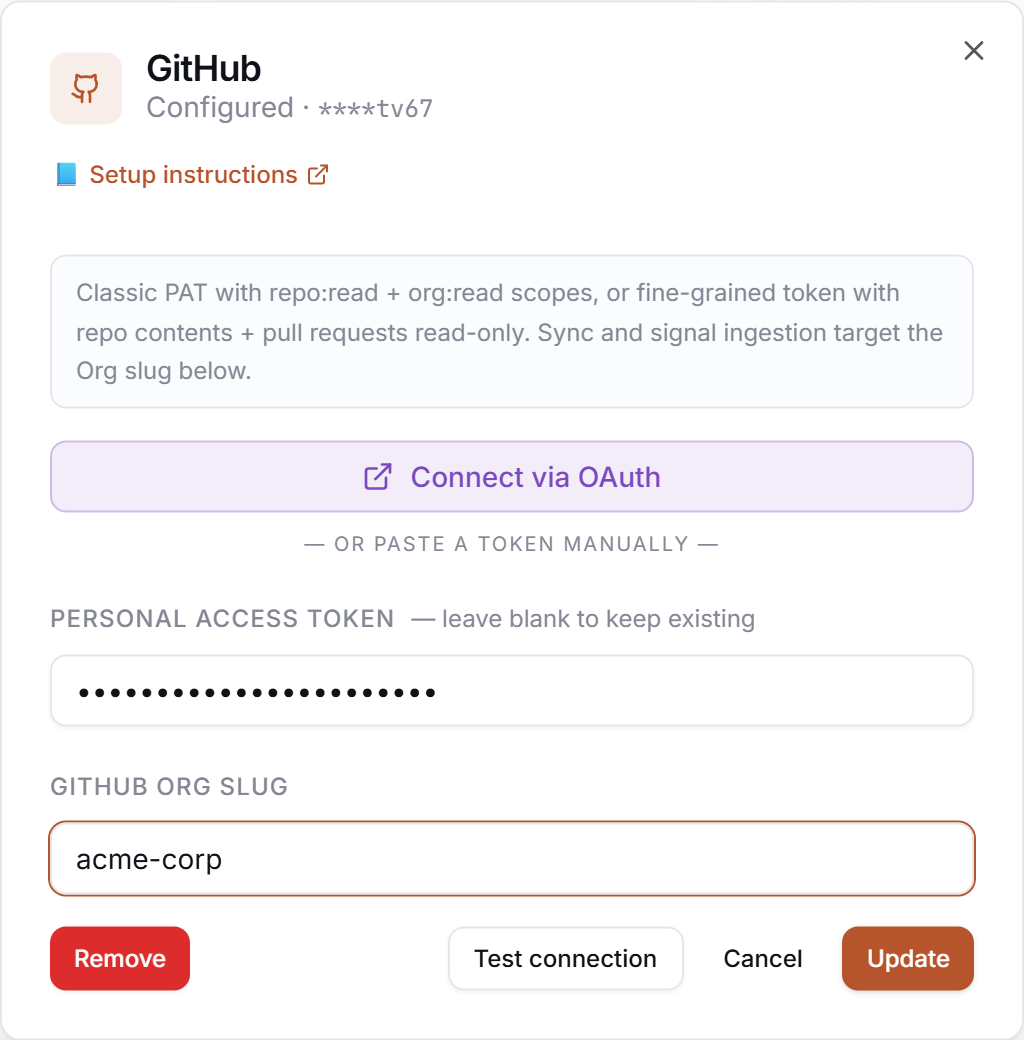
3. Verify
Click Test in the drawer. Expected:
✅ Authenticated as your-org
If you see a red error, jump to Common errors.
Common errors
| Message | What it usually means | Fix |
|---|---|---|
| OAuth state mismatch | Cookies or popup were blocked between the redirect and callback. | Retry the flow in a clean tab; allow popups for app.perfcopilot.com. |
| HTTP 401: bad credentials | The GitHub OAuth token was revoked or has expired. | Re-run the Connect flow to mint a fresh token. |
| Insufficient scope | The app was installed without the right repo scope (e.g. limited to one repo). | An org owner re-installs the app at https://github.com/apps/perfcopilot and grants the broader scope. |
What signals we pull
pull_request— pull requests authored by the employee.code_review_given— reviews and review comments the employee left on other people's PRs.commit_cadence_summary— rolled-up commit activity per employee per cycle.
Need a feature you don't see? Tell us →.